Features Getting Started For Churches Feedback Contact Privacy Policy Get Early Access

Getting Started

Set up GrowthPath for your church, group, or family in under 10 minutes

A step-by-step walkthrough for admins — from registering your community to running your dashboard day-to-day.

5 steps · start to finish No technical knowledge required Free to get started
1

Download the app & pick your community type

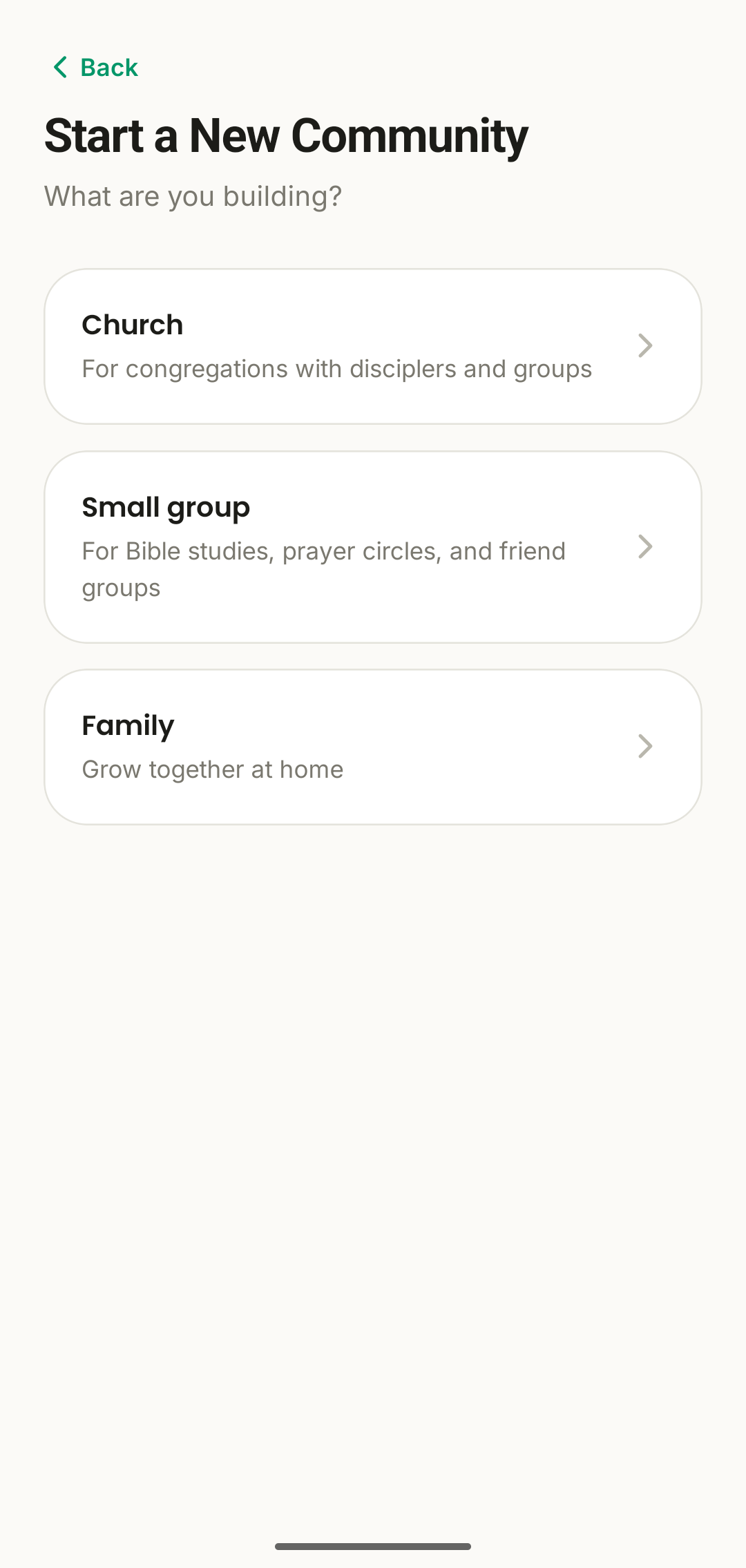
Download GrowthPath and tap "Start a New Community." Choose the shape that fits what you're building — GrowthPath adapts to all three:

  • Church — for congregations with disciplers and groups
  • Small group — for Bible studies, prayer circles, and friend groups
  • Family — for growing together at home
Choosing a community type in GrowthPath
2

Tell us about your church

Give your community a name, an optional tagline, and an accent colour that matches your church's identity. This becomes the backdrop your members see every time they open the app.

Takes about 30 seconds — no logo upload or verification required to get started.
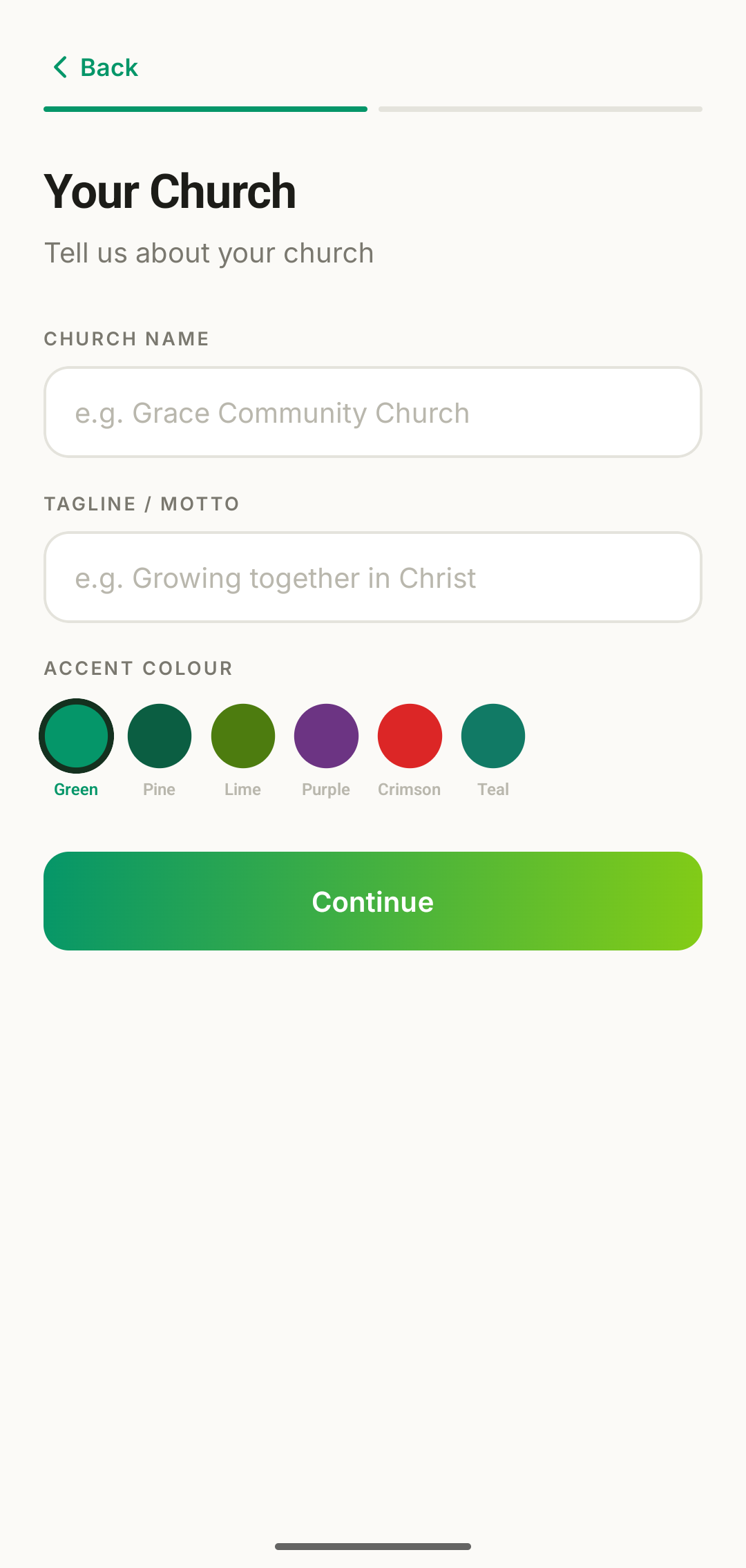
Registering a new church in GrowthPath
3

Get your code, bring your people in

The moment you register, GrowthPath generates a unique join code for your community. Share it however works for you:

  • Announce it from the front during a service or meeting
  • Text or email it directly to your congregation
  • Print it on a bulletin, slide, or welcome card

Members download the app, enter the code, and they're in — no approval bottleneck required, though admins can require approval if they'd rather review new joins first.

Your Church Code
RVSD-4271
4

Run your dashboard day-to-day

Your Home tab doubles as an admin dashboard. At a glance, see every member's consistency, streak, and GP — and spot who's fallen quiet before it becomes a pattern.

  • Assign disciplers to new members as they join
  • Nudge anyone whose consistency is slipping
  • Send church-wide notifications and prayer requests
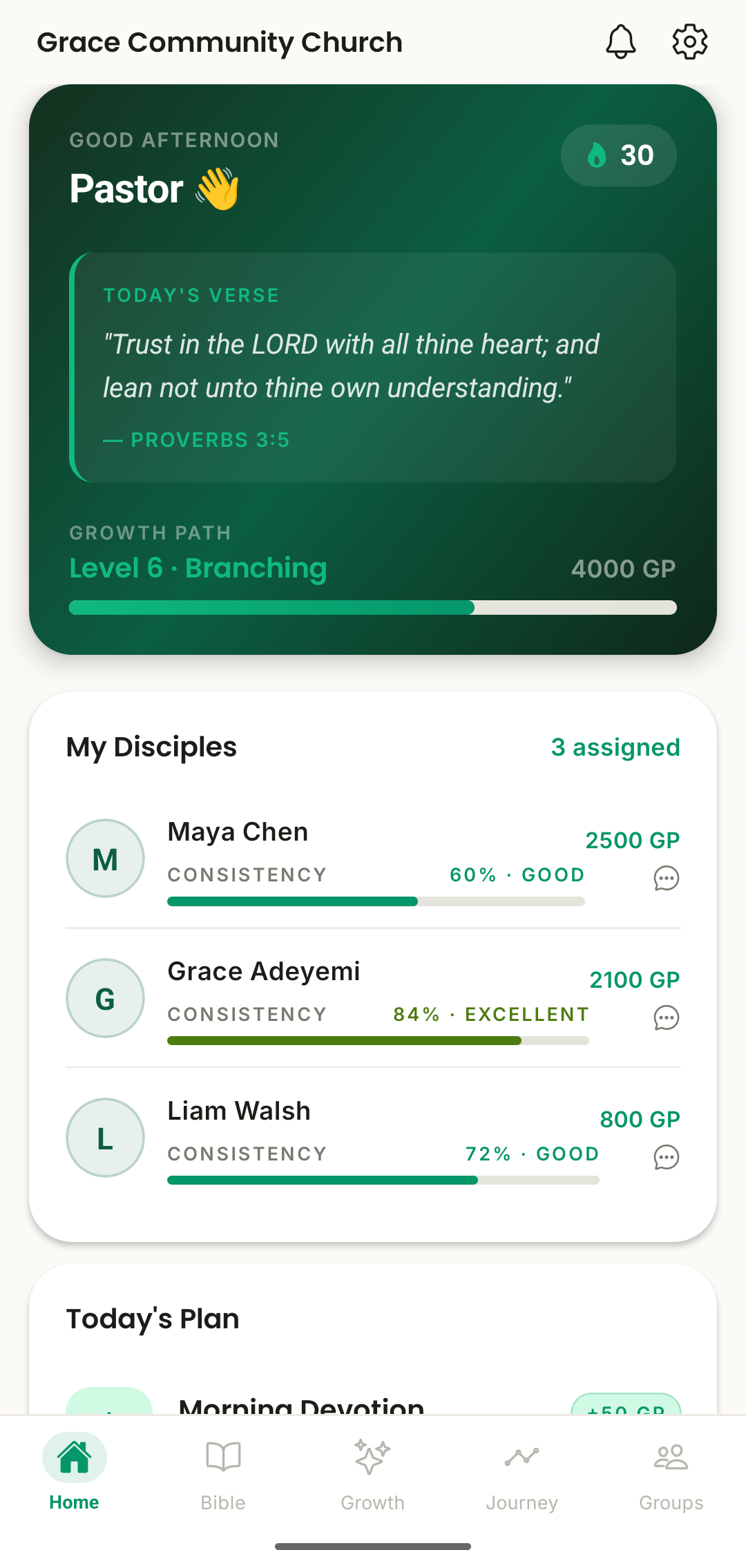
Admin dashboard tracking disciple consistency in GrowthPath
5

What your members experience

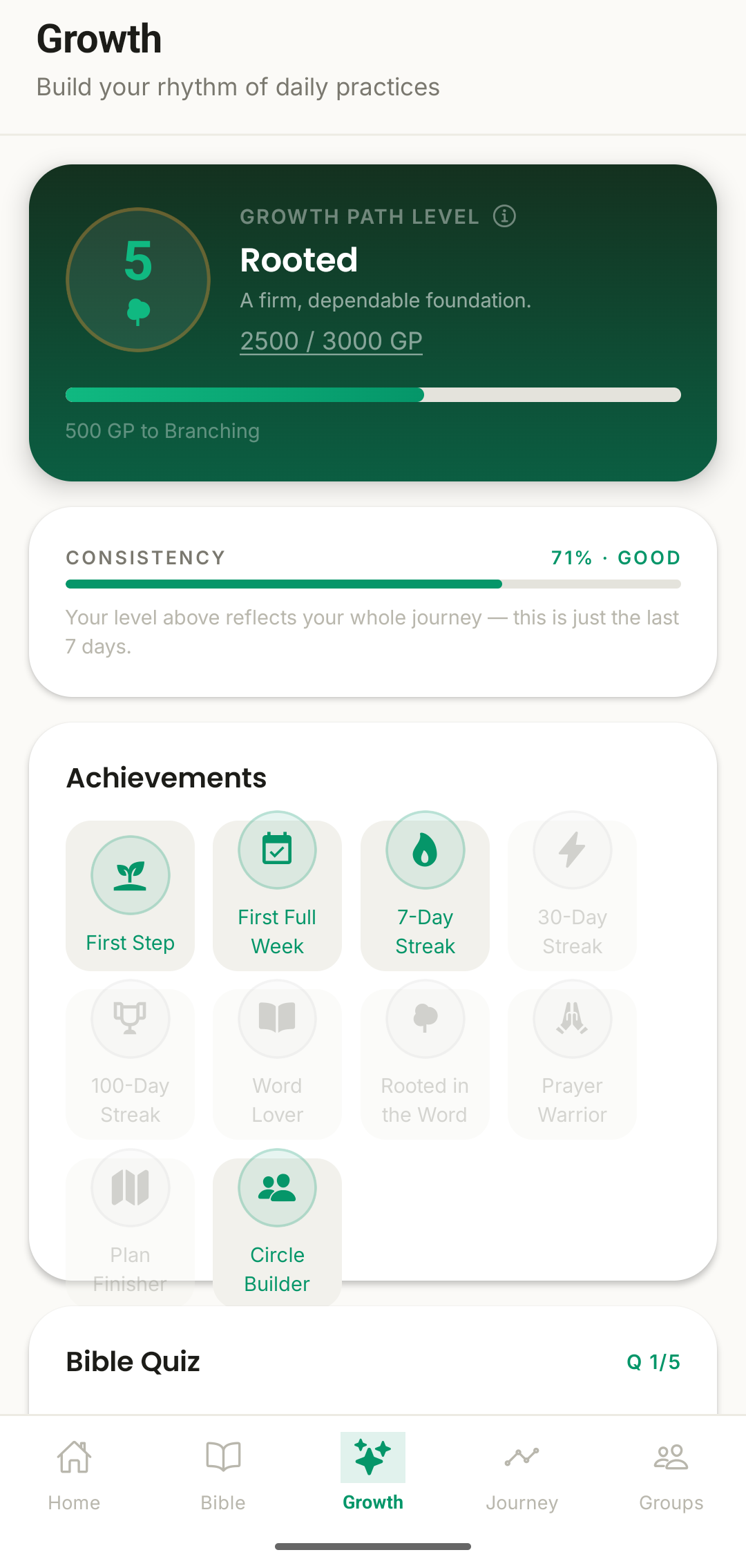
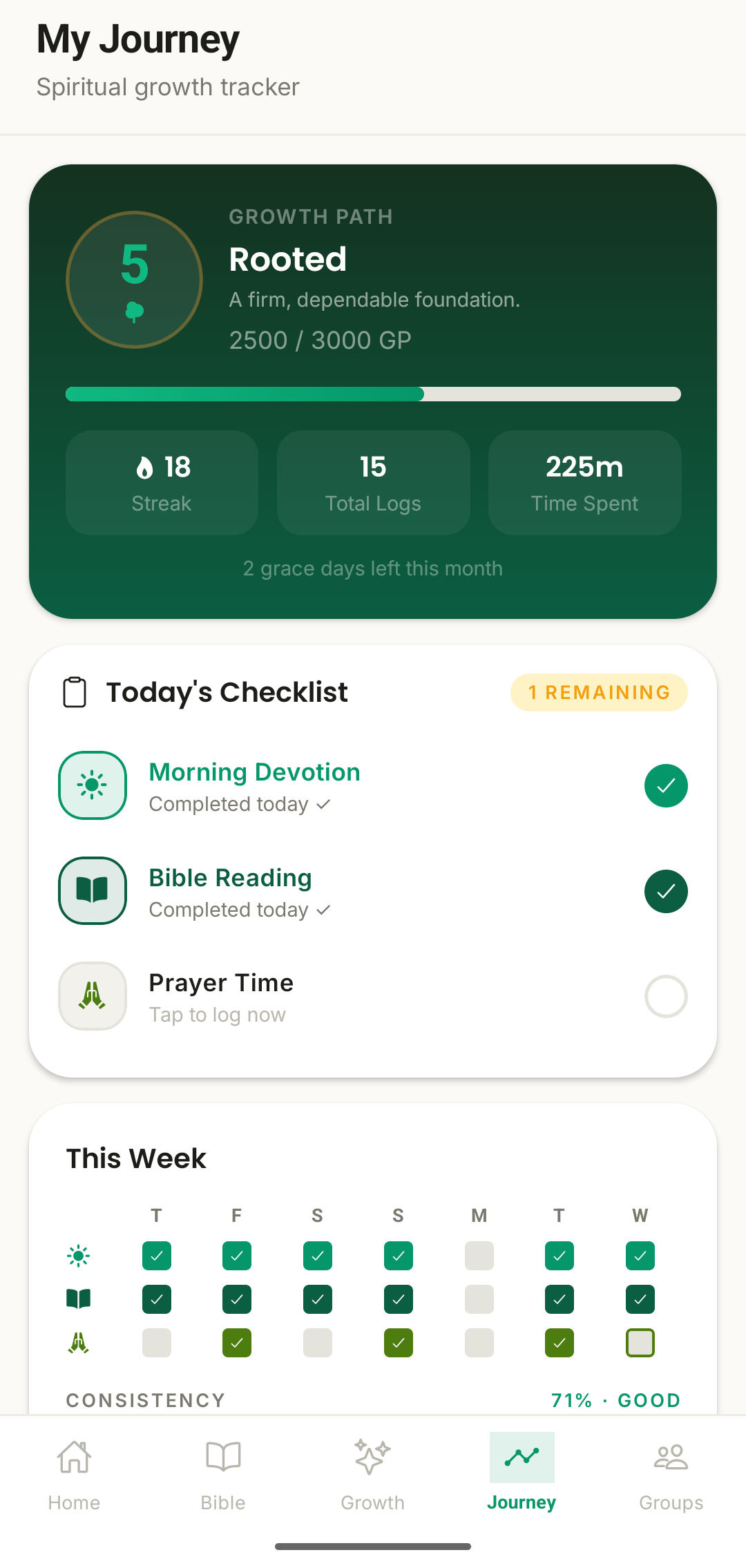
Once someone joins, their world is simple: today's plan, their Growth Path level, and their own weekly rhythm — plus a direct line to their discipler.

No admin visibility into personal reflections. Just the encouragement to keep showing up.
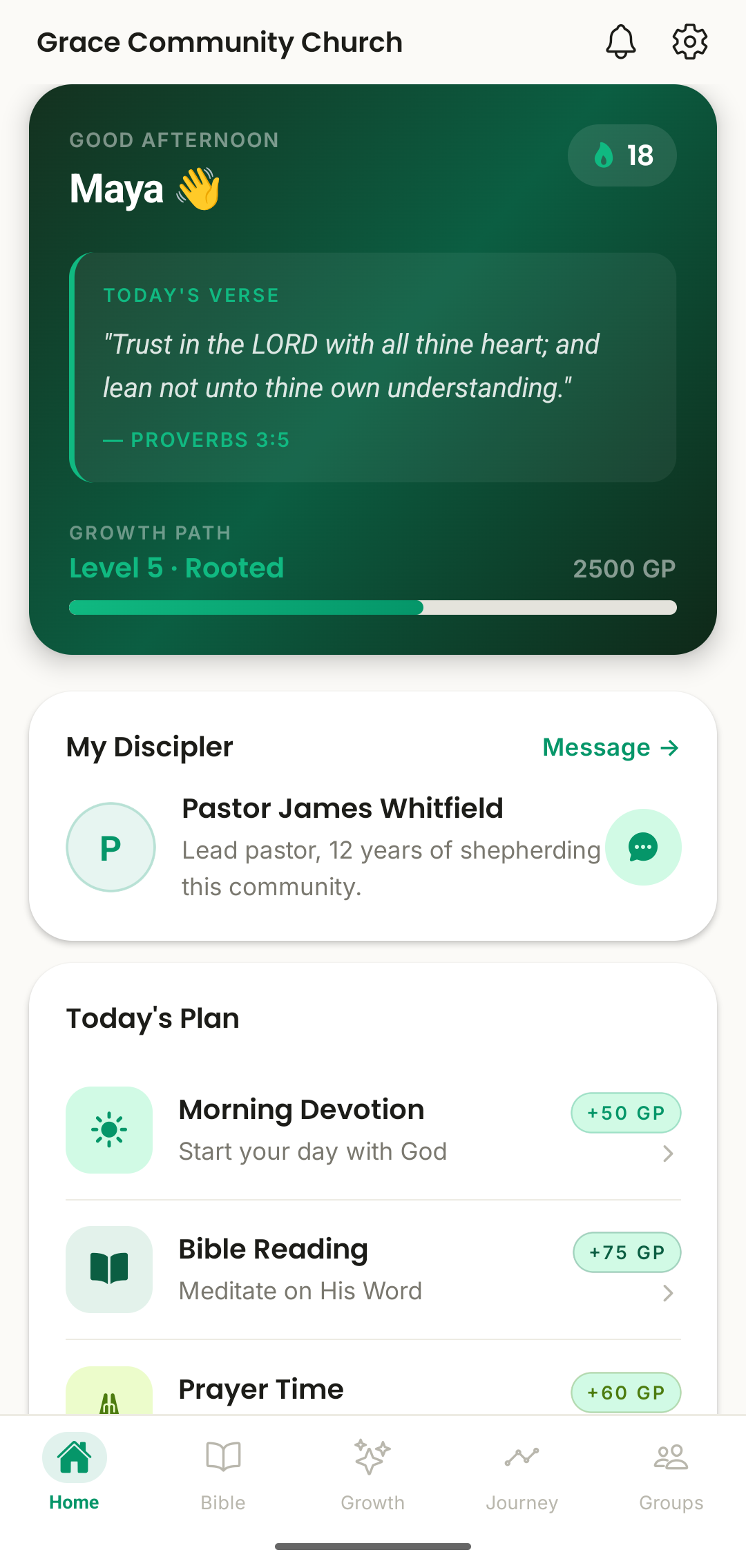
Member home screen in GrowthPath
Growth Path screen in GrowthPath
Weekly journey screen in GrowthPath

A few tips

For a smooth rollout

🎤

Announce it live

Communities that launch with a short live announcement (service, meeting, or group chat) see faster, more complete sign-up than a code shared silently.

🕊

Line up disciplers first

Assign or confirm your disciplers before you share the code widely, so new members get connected to someone right away instead of waiting.

📌

Keep the code visible

Pin it somewhere people will see it again — a bulletin, a group chat header, a fridge. Late joiners need the same easy path in.

FAQ

Common admin questions

Still stuck? Reach out and we'll help directly.

Can a community have more than one admin?

Yes. You can add additional admins from the Admin panel, which is useful for larger churches where more than one person needs full visibility and management access.

What if someone loses the join code?

Admins can find the code again anytime from the Admin panel and re-share it. Codes don't expire.

Is our data visible to other churches or communities?

No. GrowthPath is built with strict community-level data isolation — your members, leaderboard, notifications, and groups are only ever visible within your own church, group, or family. See our Privacy Policy for details.

Do members need to be approved before joining?

By default, entering a valid code joins a member instantly. Admins who'd rather review new joins first can require approval from the Admin panel.

Can I change our community's name or accent colour later?

Yes, community details can be updated anytime from Admin settings — nothing you choose during setup is permanent.

What does a discipler see that an admin doesn't, or vice versa?

Disciplers see their assigned disciples' activity logs, consistency, and reflection notes. Admins see membership and consistency data across the whole community, but not personal reflection content — that stays between a disciple and their discipler.

Ready when you are

Bring your community into GrowthPath

Sign up for early access and we'll personally help you register your church, group, or family.

Get Early Access → Ask us a question